AI Music & Song Generator
- 4.6
- Rating
- 1.00M
- Installs
- Free
- Price
 Analysis by App-foxy
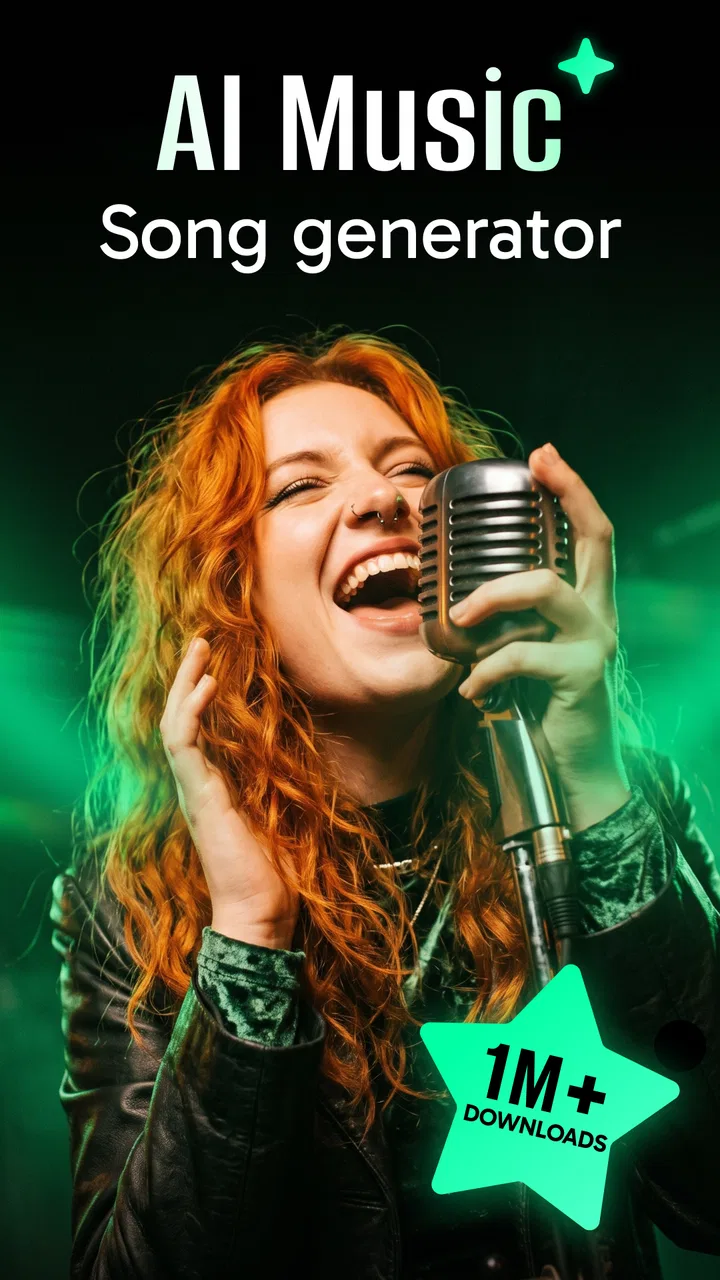
Turning a loose idea into a playable song is the central appeal of AI Music & Song Generator. I approached it less like a replacement for a full music workstation and more like a fast sketchbook: I can start with a mood, a subject, or a lyric idea and see it become a song-shaped result without opening a complicated desktop setup. That difference matters, because the app is most useful when I need momentum rather than perfect control.
In the Music & Audio category, the app is developed by One Music Player and is available free of charge, with optional in-app purchases ranging from $0.99 to $99.99 per item. It is rated for Everyone, works on Android 6.0 and newer, and the current version is 2.0.0.4. The store presents it as an AI music and lyric creation tool powered by Suno AI and Udio AI, but my interest is really in what that promise means during an ordinary creative session.
My overall impression is positive, with an important qualification: this is an idea generator first. It can help a non-musician get from “I have a concept” to “I can hear a version of it,” but anyone expecting a traditional sequencer, detailed mixing desk, or instrument-by-instrument editing environment will probably feel restricted. The app makes the first step easier; it does not remove every later step.
You May Also Like

 Blood Strike: 2.5 Anniversary
Blood Strike’s Loadouts Turn Every Drop Into a Tactical Gamble
A close look at Blood Strike’s custom loadouts: how fast access to signature weapons reshapes its battle royale rhythm, rewards preparation, and narrows the gap between fights.

 Pandora - Music & Podcasts
Pandora’s Music Is Easy to Start, but Harder to Recover
Pandora’s strength is its low-effort path from a seed to a station. Its weak spot is how much confidence it asks you to place in connection, setup, and quiet recovery.

 8 Ball Pool
 Is Built on Rivalries, Rematches, and Routine
A close look at the rivalries, rematches, shared routines, and unanswered safety questions that turn a quick pool match into a persistent mobile community.

 Samsung Music
’s Quiet Strength Is Playing What You Already Own
Its reach comes less from spectacle than from dependable access to a personal library. That simplicity is both the app’s strongest retention engine and its ceiling.

 AccuWeather: Weather Radar
AccuWeather Review: A Quick, Clear Forecast for Everyday Decisions
For everyday plans, the best forecast is the one you can understand quickly. AccuWeather makes rain timing, radar, and local conditions easy to act on, with a few trade-offs.

 Hill Climb Racing
Why Hill Climb Racing Still Turns Crashes Into One More Run
A tiny car, a bumpy hill and one more upgrade: Hill Climb Racing keeps resurfacing because its simple chaos makes every near-miss feel personal.
More From Our News Desk
View All News


What the AI song capability changes
The most meaningful capability here is the conversion of a written direction into a complete musical concept. Instead of choosing a drum kit, setting a tempo, drawing notes, and arranging sections manually, I can describe the kind of song I want and let the generator handle much of the initial composition. That is a major change in workflow for people who have musical ideas but do not know how to express them through conventional production software.
This is especially helpful when the difficult part is starting. A blank project in a standard music app can feel like a technical assignment. With this generator, the blank page becomes a prompt. I can think in ordinary language: a reflective song for a rainy evening, an upbeat track for a travel montage, or lyrics about missing a friend. The result gives me something concrete to judge, revise mentally, or use as a starting point.
The lyric side is just as important. Many people can imagine a chorus but struggle to build verses around it. An AI lyric generator can supply structure and phrasing that helps reveal whether the idea has enough emotional or narrative material. I would not treat every generated line as ready for publication, but I find the feature useful for breaking through repetition and finding angles I would not have considered immediately.
The real benefit is reduced creative friction, not automatic artistic perfection. That distinction prevents disappointment. The app can produce a useful first interpretation, yet the quality of that interpretation depends heavily on how clearly I describe the subject, feeling, style, and intended energy. A vague request often leads to a vague result. A focused brief gives the generator more to work with.
Compared with a normal music player, this app is obviously more active: it is not merely for listening to an existing library. Compared with a conventional digital audio workstation, it is much quicker to approach but less precise. Compared with writing lyrics in a notes app, it adds musical context, which lets me hear whether the words feel natural when paired with a generated song. Each comparison reveals the same trade-off: speed and accessibility in exchange for detailed control.
How I turn an idea into a usable prompt
I get better results when I separate the request into a few clear parts instead of typing one overloaded sentence. First I identify the subject. Then I describe the emotional direction, the broad musical character, and the role I want the lyrics to play. For example, I might ask for a warm, hopeful song about rebuilding confidence after a difficult week, rather than simply requesting “a good pop song.”
I also avoid treating genre labels as a complete instruction. A genre name can point the generator in a direction, but it does not explain whether I want something intimate, dramatic, playful, restrained, or energetic. Adding that human context makes the result more useful. If I want a song for background listening, I describe a gentler mood; if I want a memorable chorus, I say so directly.
One practical tip is to begin with a narrow purpose rather than a grand ambition. “A song for a short birthday video” is easier to evaluate than “make a masterpiece.” A defined purpose gives me a standard for judging the output: does it fit the moment, does the emotional tone feel right, and do the lyrics leave enough space for the visuals or message?
Another useful habit is to keep the first attempt simple. I do not try to specify every possible detail at once. I start with the central idea, listen to the result, and then decide what feels wrong. Maybe the mood is too dark, the words are too formal, or the song feels too busy for the intended use. That second observation is more valuable than guessing at a perfect prompt before hearing anything.
Because the app brings together music generation and lyric generation, I can use it in two directions. I can begin with a lyrical theme and see what musical setting suits it, or begin with a musical mood and ask what kind of story belongs there. Those two workflows produce different creative results. Starting with words is better when the message matters most; starting with atmosphere works better when I am making something for a scene, post, or personal mood.
A realistic everyday workflow
Imagine I am preparing a small video for a friend’s birthday. I do not need a professional soundtrack, but a generic stock track would feel impersonal. I could describe the friend’s cheerful personality, the sense of shared memories, and a light celebratory mood. The generated song gives me a rough emotional direction and possible lyrics. I can then decide whether the tone fits the video or whether I need a calmer, funnier, or more sentimental attempt.
That workflow is valuable because it moves the decision earlier. Instead of searching through unrelated songs and trying to force one to fit, I begin with the occasion itself. The app is well suited to this kind of personal customization, particularly when the finished audio is meant to support a private project, a social post, a casual presentation, or a creative experiment.
I would still listen carefully before sharing anything. AI-generated lyrics can contain familiar expressions, uneven emotional shifts, or lines that sound fine on their own but awkward in context. I would also check whether the vocal delivery and arrangement match the intended audience. A song that works as a playful draft may not work for a serious tribute, even if the subject is similar.
For a songwriter, the same workflow can serve as a prompt for human writing. I might generate a concept, keep one image or phrase that sparks something, and then rewrite the rest myself. In that role, the app is not the author of the finished song; it is a fast collaborator for exploring directions. That is one of the more interesting uses because it keeps human judgment at the center.
Where the app is strongest
The strongest use case is quick, low-pressure creation. I would recommend it to someone who wants to experiment with song ideas but does not play an instrument, read music, or understand production terminology. It is also a good fit for people who regularly need custom audio concepts for personal projects and would rather create a rough original direction than spend a long time searching through conventional music libraries.
It can also help experienced musicians during the early idea stage. A producer may not use the generated result as a final master, but the app can provide an unexpected combination of mood and subject that becomes a reference point. The advantage is not that it replaces musical judgment; the advantage is that it can supply material to react against.
Teachers, hobby writers, and content creators may find the lyric function particularly useful for exercises. A prompt about a place, memory, or emotion can become a starting point for comparing different lyrical approaches. The important thing is to treat the output as material for discussion and editing, not as automatically polished writing.
The app is less convincing for users who want granular arrangement control. If your goal is to program every chord, edit individual vocal phrases, shape a detailed mix, or build a track from your own recorded instruments, a traditional production app is a better choice. This generator is about getting a whole idea quickly, not exposing every component of the song for manual adjustment.
The trade-offs I noticed
Speed creates its own limitation. When a system handles much of the composition at once, I have fewer direct decisions to make about the underlying musical structure. That is convenient when I want a result quickly, but frustrating when I have a very specific arrangement in mind. The more exact my expectations become, the more likely I am to want tools that let me edit the details rather than regenerate the concept.
There is also a difference between sounding complete and feeling personal. A generated song can have the shape of a finished track while still missing the small imperfections or specific observations that make human writing memorable. I find the output more convincing when I provide a distinct situation or image. Broad emotional language tends to produce broader results.
The free entry point makes experimentation approachable, but the presence of optional purchases means I would pay attention to how much I use the service before committing to anything. Since individual purchase amounts can vary, I would treat the free availability as a way to test whether the workflow suits me, not as a guarantee that every level of use will remain cost-free. That is particularly relevant for frequent creators who may generate many versions while searching for one that fits.
Another trade-off is evaluation time. Generating a song may be faster than producing one manually, but listening to several imperfect attempts can still consume attention. I recommend defining the purpose first and stopping once a draft meets that purpose. Endless regeneration can become its own form of procrastination, especially when the goal is a simple background track rather than a definitive artistic statement.
Privacy and ownership questions are also worth considering before using personal material. I would avoid entering sensitive information, private stories, or identifiable details unless I had a clear reason to do so and was comfortable with the app’s applicable terms. For casual inspiration, fictionalizing the situation usually works just as well and keeps the creative process safer.
The age rating of Everyone makes the app approachable for a broad audience, but that should not replace adult guidance for children using generative tools. Younger users may need help understanding that generated lyrics can be inaccurate, repetitive, or unsuitable for a particular context. The app can be a fun creative activity, yet the person using it still needs to review what it produces.
What the technical details mean for daily use
The Android 6.0 minimum makes the app accessible on a wide range of older devices, which is useful if I do not have a recent phone. Still, AI creation can be more demanding in practice than ordinary audio playback. I would use a stable connection and keep enough time for the generation process rather than expecting the same instant response as a local music player. The exact experience will naturally depend on the phone and network I am using.
The app has passed the early-experiment stage in terms of public reach, with over a million installs and an average rating of 4.5 from around twenty-eight thousand ratings. Those figures suggest that the concept has found a substantial audience, but they do not change my main advice: judge it by whether its quick creation workflow matches your needs. Popularity is reassuring, not a substitute for fit.
One detail I appreciate is that the current release is identified as version 2.0.0.4. For me, that makes it easier to know which experience I am evaluating when I return to the app after an update. I would still expect generative tools to evolve, so a feature or interaction that feels limited today may change in a later release. That possibility is another reason to focus on the underlying workflow rather than expecting a fixed, traditional studio interface.
The developer, One Music Player, has positioned this as a music-making app rather than a simple catalog for consuming tracks. That distinction shapes the whole experience. I open it with an intention to create, test, or explore, not merely to press play. If I only want familiar songs and dependable playback controls, a standard streaming or local music app will be more appropriate.
Who should use it and who should skip it
I think the best audience is the curious beginner who wants to make songs without learning an entire production system first. It is also useful for a writer who needs musical context for lyrics, a video maker who wants a custom draft, or a musician looking for unexpected starting points. In all of these cases, the app’s value comes from shortening the distance between an idea and an audible example.
I would be more cautious recommending it to a professional composer who needs repeatable control over every musical decision. The same applies to anyone who requires a precise arrangement, detailed editing, or a carefully engineered final mix. For those users, a conventional digital audio workstation or dedicated recording setup will usually provide a more dependable path, even if it takes longer to learn.
I would also skip it if my only goal were to listen to finished music. The generator adds value when I have something to explore. Without that creative purpose, its main advantage is largely irrelevant, and a normal music service will offer a smoother listening experience.
For me, the smartest way to use it is as a first-draft machine. I give it a focused brief, listen critically, save the useful idea in my own workflow, and rewrite or rearrange anything that needs a personal touch. That approach avoids both extremes: dismissing AI music as useless and accepting every generated result as finished work.
After spending time with it, I see AI Music & Song Generator as a practical bridge between imagination and sound. Its Suno AI and Udio AI-powered approach is most compelling when I need a fast demonstration of an idea, a custom mood for a small project, or a spark for human songwriting. It is free to begin, broadly accessible, and easy to understand at the concept level, while its optional purchases and limited manual control deserve attention from heavy users.
My recommendation is straightforward: try it if the hardest part of making music is getting started. Give it a specific situation, a clear emotional goal, and enough room to surprise you. If you need studio-level precision, choose a more traditional production tool instead. For everyone in between, this app can be a genuinely useful creative companion, as long as I remember that the generated song is the beginning of the process rather than the final word.
FAQs for AI Music & Song Generator
01What is AI Music & Song Generator?
AI Music & Song Generator is an innovative app that allows users to create original music tracks using artificial intelligence. It offers a user-friendly interface where you can select different genres, instruments, and styles to generate unique compositions. Perfect for musicians, creators, and enthusiasts looking to experiment with music creation.
02Is the app suitable for beginners?
Yes, AI Music & Song Generator is designed to be accessible for users of all skill levels. Whether you’re a novice or a professional musician, the app provides intuitive tools and tutorials to guide you in creating your own music. Its simplicity ensures that even beginners can produce high-quality tracks effortlessly.
03What are the main features of AI Music & Song Generator?
The app offers a variety of features, including genre selection, instrument customization, and AI-driven composition. Users can also adjust tempo, key, and other musical elements. Additionally, it provides options for exporting tracks, sharing them on social media, and collaborating with other users, making it a powerful tool for music creation.
04Does AI Music & Song Generator require an internet connection?
While some features of AI Music & Song Generator may work offline, an internet connection is generally required for full functionality. This includes accessing cloud-based AI algorithms and downloading updates. Users should ensure they have a stable connection to maximize the app's capabilities and access the latest features.
05Are there in-app purchases or subscriptions?
AI Music & Song Generator offers both free and premium versions. The free version includes basic features, while a subscription unlocks advanced tools, additional instruments, and exclusive content. Users can choose a monthly or yearly plan, and in-app purchases are available for specific enhancements or features.
Pros
- Generates unique music tracks quickly.
- User-friendly interface for beginners.
- Wide variety of music styles available.
- High-quality audio output.
- In-app tutorials for easy learning.
Cons
- Limited free features; many are premium.
- Occasional glitches in song rendering.
- Requires internet for optimal performance.
- Ads can be intrusive at times.
- Customization options are somewhat limited.

AI Music & Song Generator
Gallery